
Tap To Translate Screen – The Easy Way to Translate Text Instantly
Smartphones have completely changed the way people communicate, work, study, shop, and consume information. However, language barriers can still make it difficult to understand content written in another language. This is where Tap To Translate Screen technology can make a major difference.
Instead of manually typing unfamiliar words into a translation application, users can use screen translation tools to understand text directly from their phone. Whether you are reading a foreign website, checking a message, using an international app, or viewing text inside an image, a screen translator can make the process much faster and easier.
In this complete guide, we will explain what Tap To Translate Screen means, how it works, how to use screen translation, its main benefits, common use cases, limitations, safety considerations, and useful tips for getting better results.
What Is Tap To Translate Screen?
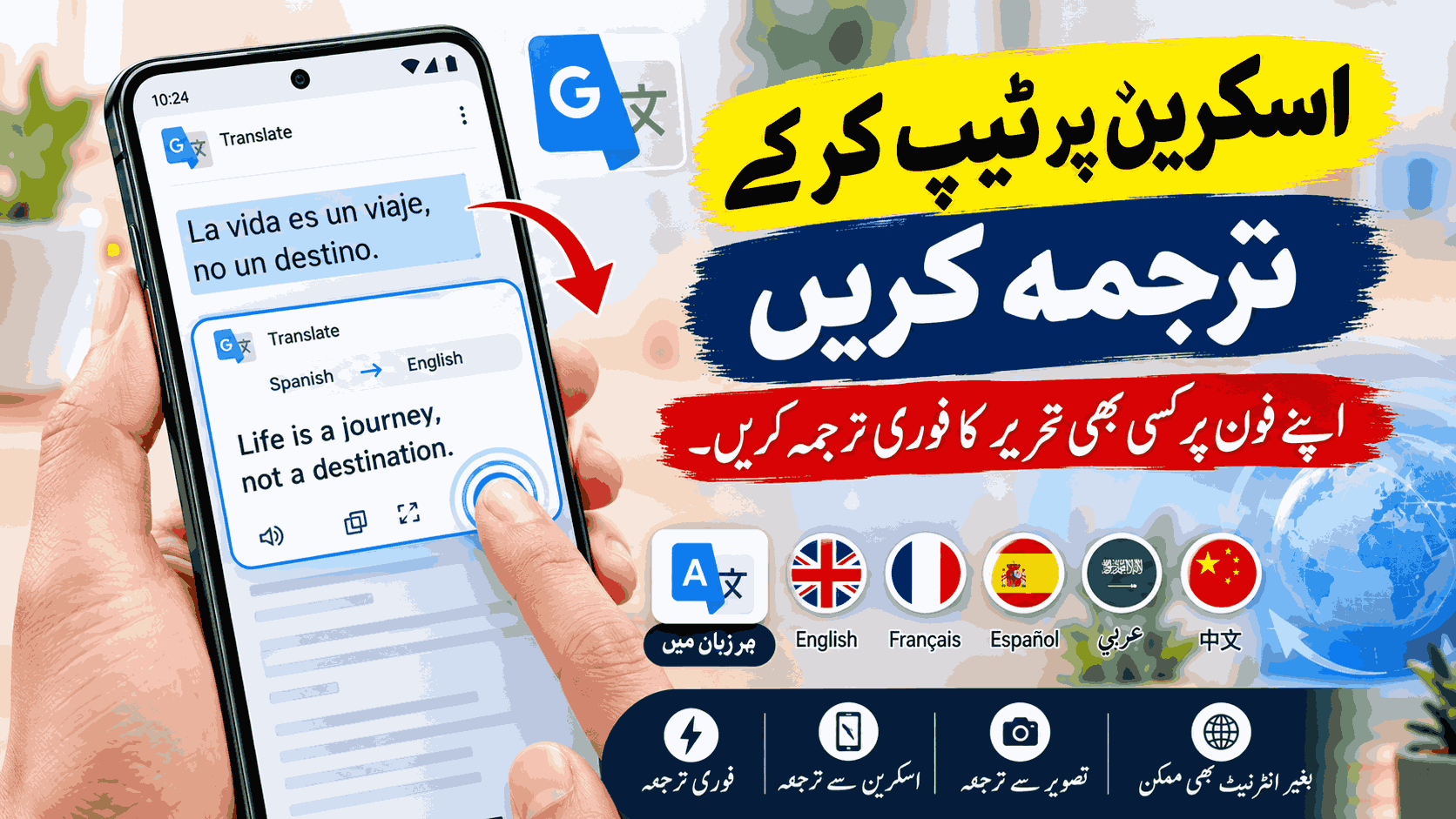
Tap To Translate Screen is a convenient translation concept that allows users to translate text appearing on their smartphone screen. Depending on the application and device, the feature may allow you to select text, copy it, scan it, or translate it through a screenshot or image.
Traditional translation requires users to copy text, open a translation app, paste the content, and then return to the original application. This can become frustrating when you need to translate many sentences or when the text cannot be selected.
Screen translation provides a more convenient solution by helping users process visible content without repeatedly switching between applications.
How Does Tap To Translate Screen Work?
Screen translation usually combines text recognition technology with machine translation. When text is provided to a translation tool, the system first identifies the words and characters. It then processes that text and generates a translation in the selected language.
The exact process depends on the application you are using, but the general workflow can include the following steps:
- Open the website, app, message, or document containing foreign-language text.
- Select the text if it can be selected directly.
- Use the available translation option.
- Select the source and target languages if required.
- Allow the translation tool to process the content.
- Read the translated result on your screen.
When text cannot be selected, some tools can use screenshots or optical character recognition, commonly known as OCR, to recognize text from an image.
Why Is Tap To Translate Screen Useful?
The biggest advantage of screen translation is convenience. Modern users interact with information from many different countries every day. Websites, applications, social media posts, emails, product descriptions, and messages can all contain foreign-language content.
A screen translator can reduce the amount of manual work required to understand this content. Instead of typing every word, users can use an available translation feature to process the text more efficiently.
1. Instant Translation
One of the main reasons people use Tap To Translate Screen is speed. When you encounter an unfamiliar sentence, you can quickly provide it to a translation tool instead of manually entering every word.
2. Easy to Use
Screen translation is designed to simplify the translation process. Even users who are not familiar with advanced technology can usually understand the basic process of selecting or scanning text and viewing the translated result.
3. Useful for Apps
Not every application includes a built-in translation feature. Screen translation can be especially useful when you encounter foreign-language text inside an app that does not provide its own translation option.
4. Helpful for Websites
International websites can contain valuable information, but language barriers may make them difficult to understand. Screen translation can help users understand individual paragraphs, buttons, menus, instructions, and other text.
5. Convenient While Traveling
Travelers frequently encounter foreign-language information. A screen translation tool can help with booking information, digital menus, travel instructions, messages, and other content displayed on a smartphone.
How to Use Tap To Translate Screen on a Smartphone
The exact steps may differ depending on your smartphone, operating system, and translation application. However, the general method is simple.
- Install a trusted translation application from an official app store.
- Open the translation application.
- Choose your preferred target language.
- Open the app or website containing the text you want to translate.
- Select the text or use a supported screen or image translation feature.
- Review the translated text.
If your chosen translator does not support direct screen translation, you may be able to use its screenshot, camera, or image translation feature instead.
Tap To Translate Screen Using Screenshots
Screenshot translation is an effective alternative when text cannot be selected directly. This is especially useful for text displayed inside images, videos, social media graphics, applications, or other content where normal text selection is unavailable.
You can capture a screenshot and provide it to a translation tool that supports image recognition. The software can identify characters in the image and then translate the recognized text.
The quality of the result can depend on the screenshot. Clear, high-resolution images generally make text recognition easier than blurry or heavily compressed images.
Tap To Translate Screen for Social Media
Social media has made communication between people from different countries easier than ever. However, users often encounter comments, captions, posts, and messages written in unfamiliar languages.
Screen translation can help users understand these posts without manually typing the entire message into a translator. This can make international communication faster and more convenient.
Tap To Translate Screen for Online Shopping
Online shopping websites often contain product descriptions, specifications, customer reviews, shipping information, and return policies. International stores may present some or all of this information in another language.
A screen translator can help shoppers understand product information before making a decision. However, important information such as prices, measurements, warranty terms, delivery conditions, and return policies should always be checked carefully.
Tap To Translate Screen for Students
Students can also benefit from screen translation technology. Online learning resources, research papers, educational websites, and tutorials may contain information in languages other than the student’s preferred language.
A translation tool can help students understand unfamiliar words and sentences while learning. However, students should use translation as a learning aid rather than relying on it blindly, especially when studying technical or academic subjects.
Main Benefits of Screen Translation
- Fast access to translated text
- Less manual typing
- Easy translation of selected text
- Useful for foreign websites
- Helpful for international messages
- Can work with screenshots and images
- Useful inside applications without built-in translation
- Helpful while traveling internationally
- Supports multilingual digital communication
- Can save time when reading foreign content
What Languages Can Be Translated?
The number of supported languages depends on the translation service you use. Popular translation platforms may support a wide range of languages, including English, Spanish, French, German, Arabic, Chinese, Japanese, Korean, Urdu, Hindi, Portuguese, Italian, Turkish, and many others.
Language availability and translation quality can vary between services. Some languages may have stronger machine translation support than others, particularly when dealing with complex grammar, regional expressions, slang, or technical terminology.
Limitations of Tap To Translate Screen
Although screen translation is highly useful, it is not perfect. Machine translation systems can sometimes misunderstand context or produce unnatural translations.
Translation accuracy may be affected by spelling mistakes, slang, idioms, unusual sentence structures, poor image quality, decorative fonts, handwritten text, or text placed over complicated backgrounds.
Some translation features may also require an internet connection. Offline translation availability depends on the particular application and language packages installed on your device.
How to Get Better Translation Results
Use High-Quality Screenshots
If you are translating text from an image or screenshot, use the highest-quality image available. Clear characters are easier for OCR systems to recognize.
Select the Correct Source Language
If the translation application allows you to select the original language manually, choosing the correct language can sometimes improve the result.
Translate Complete Sentences
Translating a complete sentence often provides better context than translating individual words separately. This can help the translation system understand the intended meaning.
Check the Original Text
If the translation looks unusual, compare it with the original text. A second translation method can also be useful when accuracy is important.
Is Tap To Translate Screen Free?
Whether a screen translation feature is free depends on the application or service. Many translation platforms provide free basic translation tools, while some third-party applications may offer additional features through paid plans.
Before installing a translation application, users should check its official app-store listing, permissions, privacy policy, ratings, reviews, and subscription information.
Is Screen Translation Safe?
Screen translation can be safe when you use a reputable application and understand the permissions it requests. Users should avoid installing unknown translation apps from unreliable sources.
You should also be careful when translating private messages, passwords, financial information, personal documents, or other sensitive data. Do not provide unnecessary permissions to applications you do not trust.
Tap To Translate Screen vs. Copy and Paste
Copy-and-paste translation is still a useful option when text can easily be selected. However, it becomes inconvenient when text appears inside an image, video, application interface, or other non-selectable content.
Screen translation offers greater flexibility because it may allow users to work with visible content through direct selection, screenshots, OCR, or image translation.
Who Should Use Tap To Translate Screen?
Screen translation can be useful for a wide range of smartphone users, including:
- Students learning foreign languages
- International travelers
- Freelancers working with global clients
- Online shoppers
- Social media users
- Researchers reading foreign websites
- People communicating with international friends
- Users who regularly work with multilingual apps
- People learning a new language
Frequently Asked Questions
What is Tap To Translate Screen?
Tap To Translate Screen refers to tools that make it easier to translate text displayed on a smartphone screen without manually typing every word.
Can I translate text directly from my phone screen?
Yes. Depending on your device and translation application, you may be able to translate selected text, screenshots, images, or other visible content.
Can I translate text from an image?
Yes. Many modern translation services use OCR technology to recognize text inside photographs and screenshots and then translate the recognized content.
Does Tap To Translate Screen require the internet?
It depends on the translation service. Some features require an internet connection, while certain applications may provide offline translation for selected languages.
Is screen translation accurate?
Screen translation can provide useful and often accurate results, but it is not guaranteed to be perfect. Context, slang, technical terms, image quality, and the language being translated can affect accuracy.
Can I translate messages using a screen translator?
Yes. If your translation tool supports screen, text, or screenshot translation, you can use it to understand messages written in another language.
Can screen translation work inside apps?
It can, depending on the translation application and the type of content displayed. Some apps allow text selection, while others may require screenshots or image-based translation.
Conclusion
Tap To Translate Screen is a simple and convenient way to make multilingual content easier to understand. Instead of manually typing unfamiliar words into a translation application, users can take advantage of screen translation, text selection, screenshots, and OCR-based tools.
Whether you are reading a foreign website, checking an international message, shopping online, studying, traveling, or browsing social media, screen translation can save time and reduce the frustration caused by language barriers.
However, automated translation should be treated as a helpful tool rather than a perfect replacement for professional translation. Always double-check important information, especially when dealing with legal, medical, financial, or business documents.
As smartphone technology continues to improve, features based on Tap To Translate Screen are making it easier for people around the world to access and understand information in different languages.